
Access your personal settings to check or change your Maya Quick Tax account details.
What you can do:
Update your organization’s Legal Trading Name, Tax Identification Number (TIN), and Billing Type.
Update other basic information such as First, Middle, or Last name, Address Line, City, Zip, Region, and Mobile Number.
STEP 1: To change your account details in Maya Quick Tax, click on the Account Name, then select User Settings.
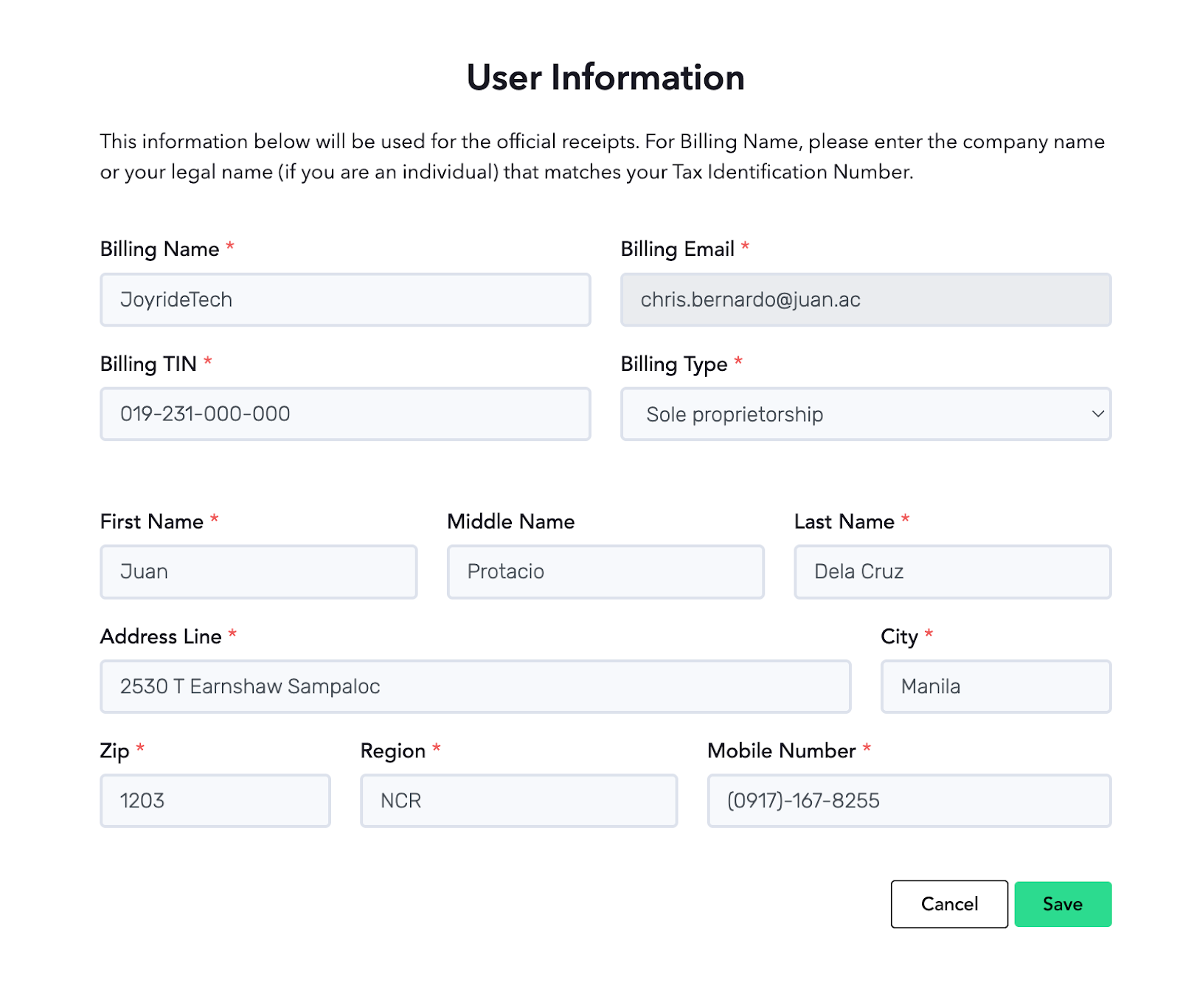
STEP 2: Make the necessary changes, then click the Save button below.