
This section will show you how to download or print a copy of your tax forms in Maya Quick Tax.
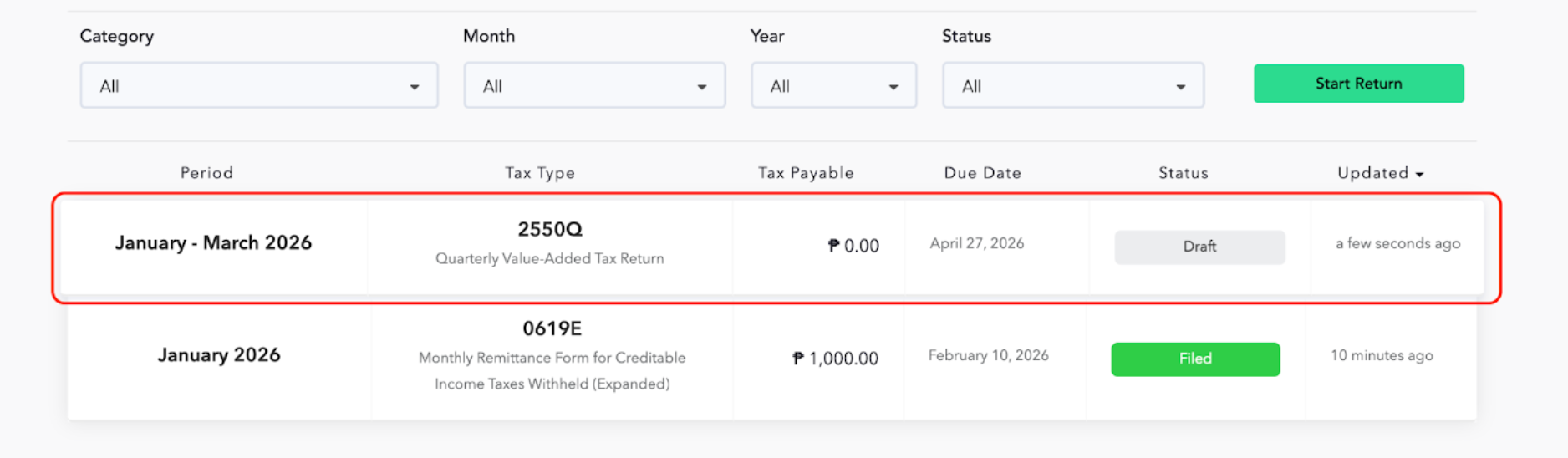
STEP 1: From your organization dashboard, select the tax form that you want to download or print.
In this example, we will be using BIR Form 2550Q.
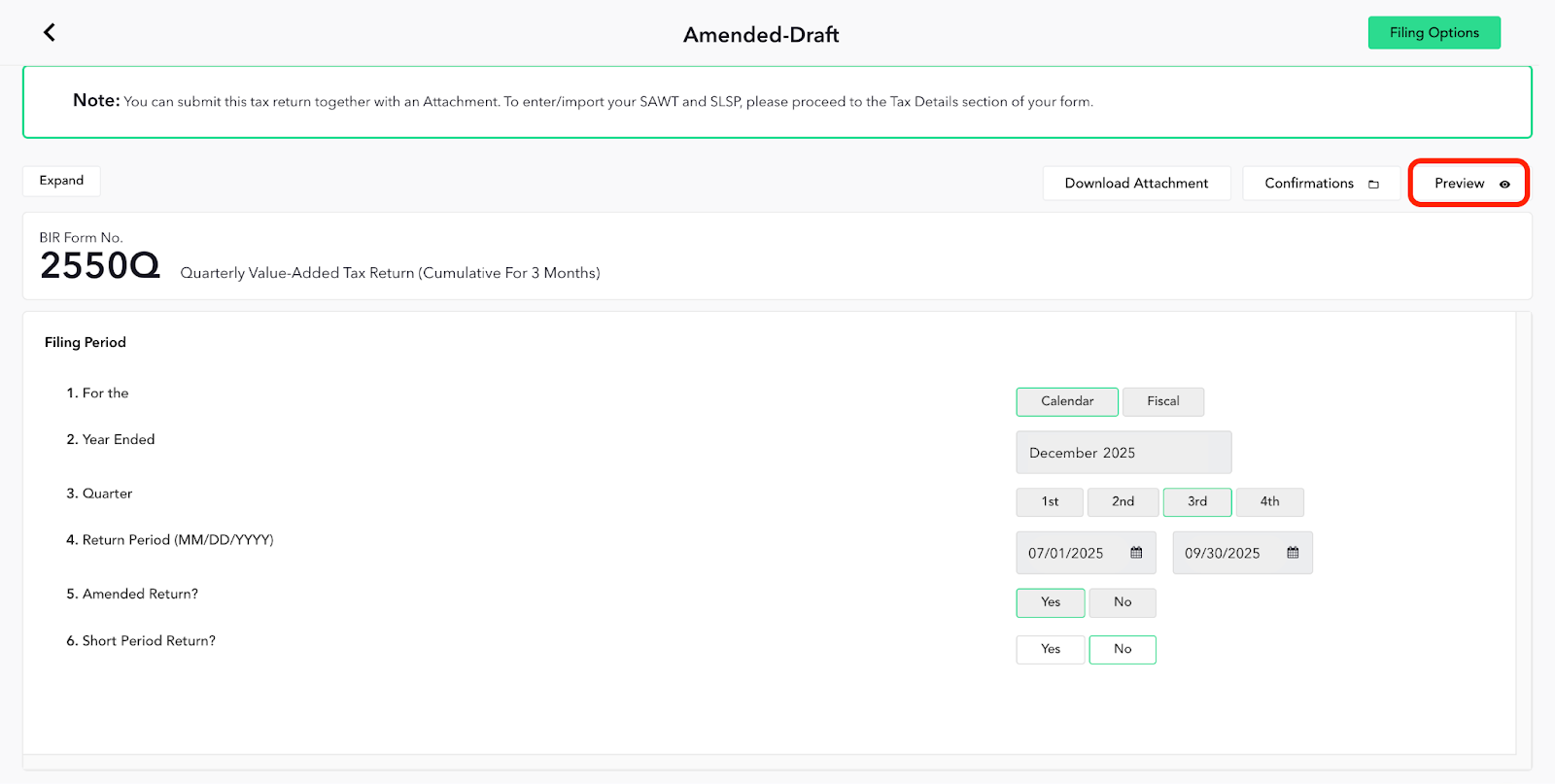
STEP 2: Click the Preview button located on the upper left part of the page.
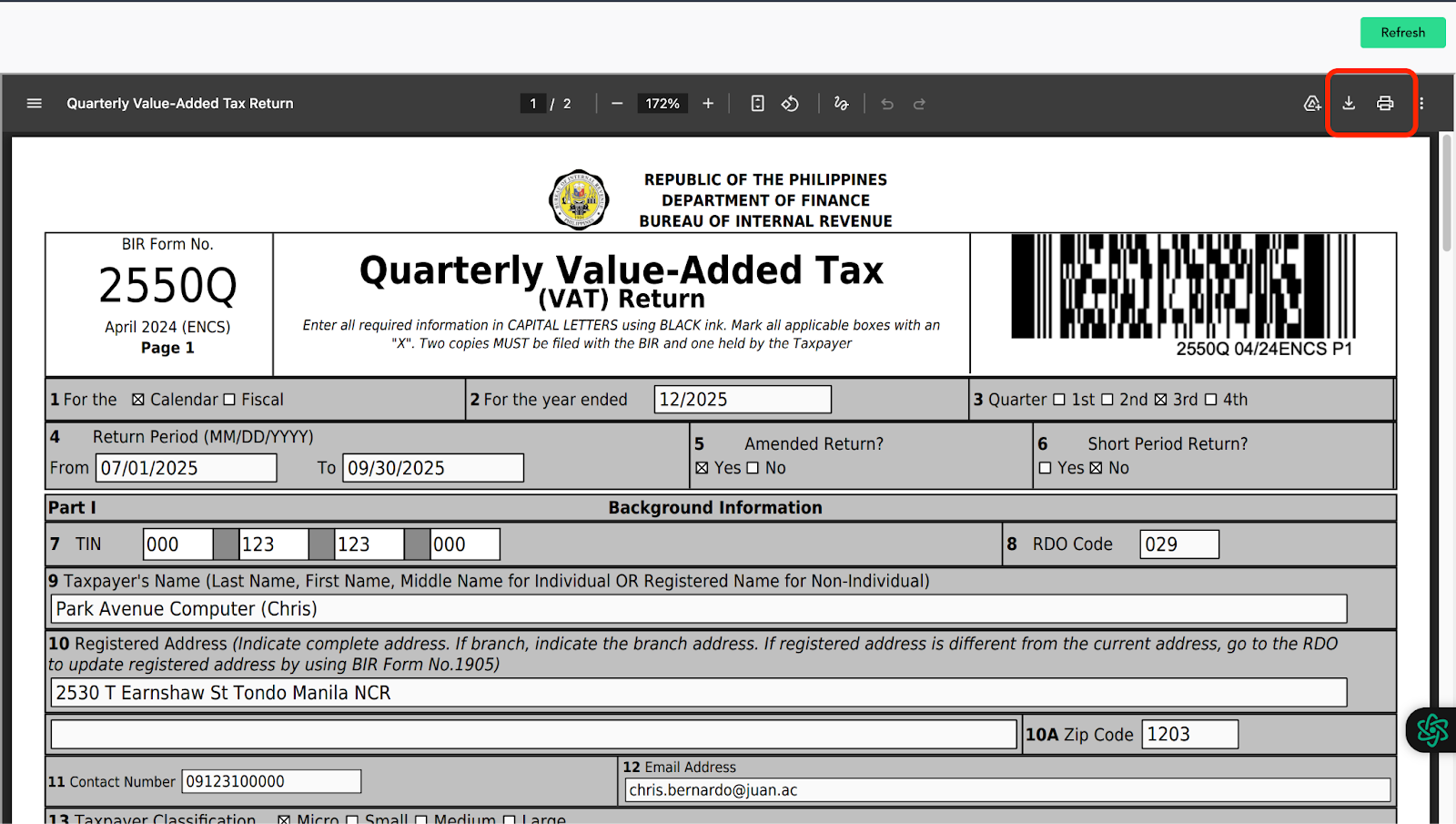
You will see the Download and Print icons located on the upper right part of the page.
STEP 3:
A. Click the Download

icon to save a PDF copy of your tax form on your computer.
B. Click the Print

icon to print a hard copy of your tax form.