
Learn how to delete a Maya Quick Tax organization in 3 easy steps.
STEP 1: Select the organization that you wish to delete from the drop-down list.
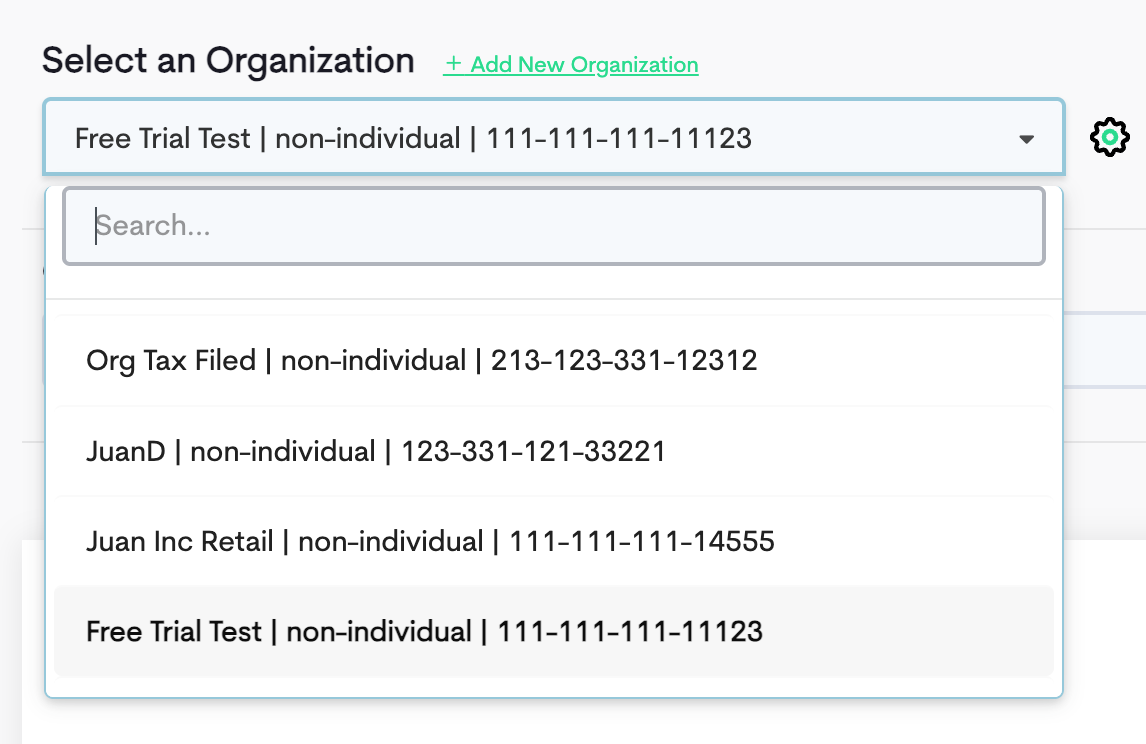
STEP 2: Click the gear icon next to the organization.

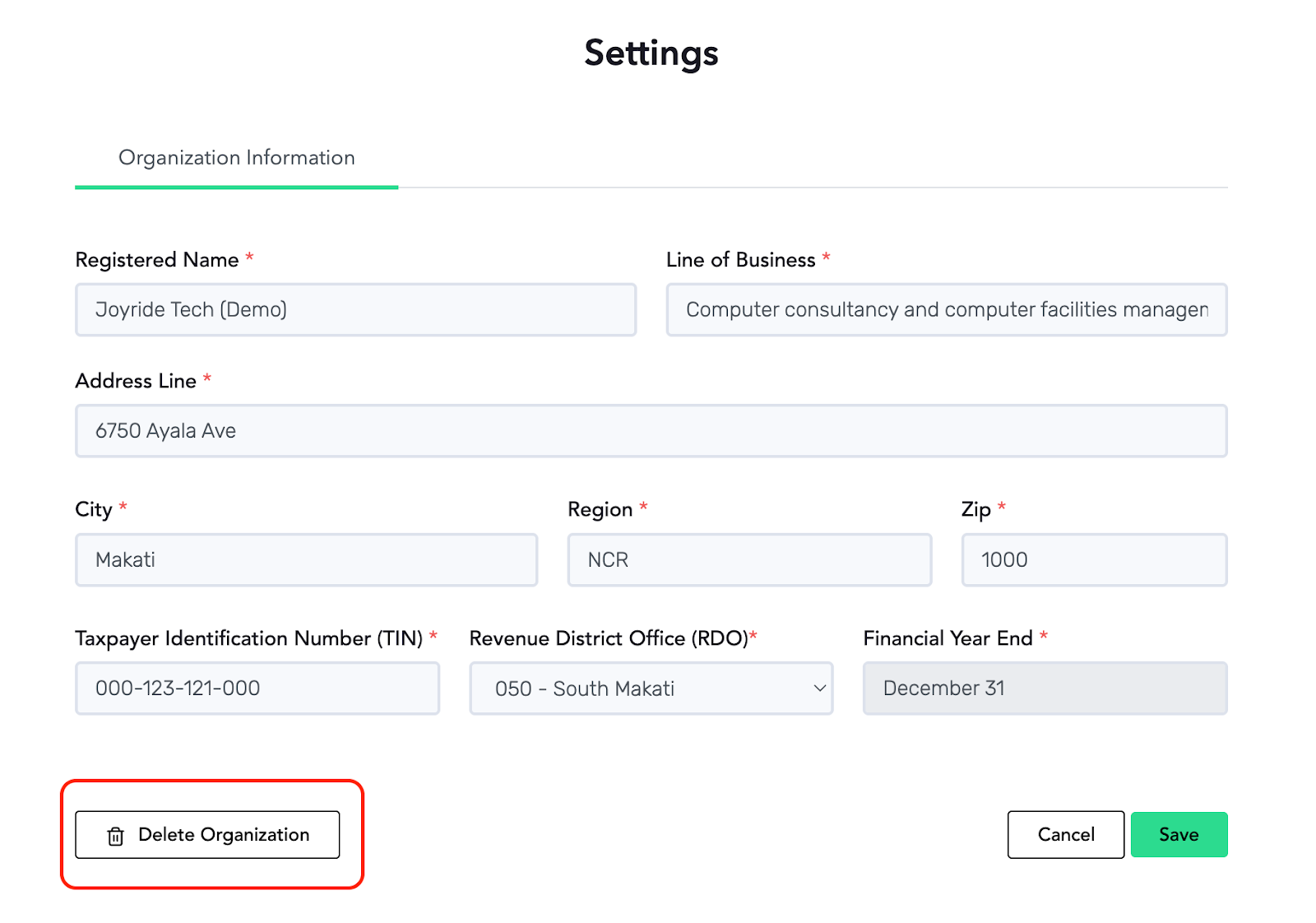
STEP 3: Click the Delete Organization button. Important reminder, the "Delete Organization" button will only appear if no tax forms have been generated. If you need to delete an organization after generating or filing tax returns, you will need to contact our support team for assistance.
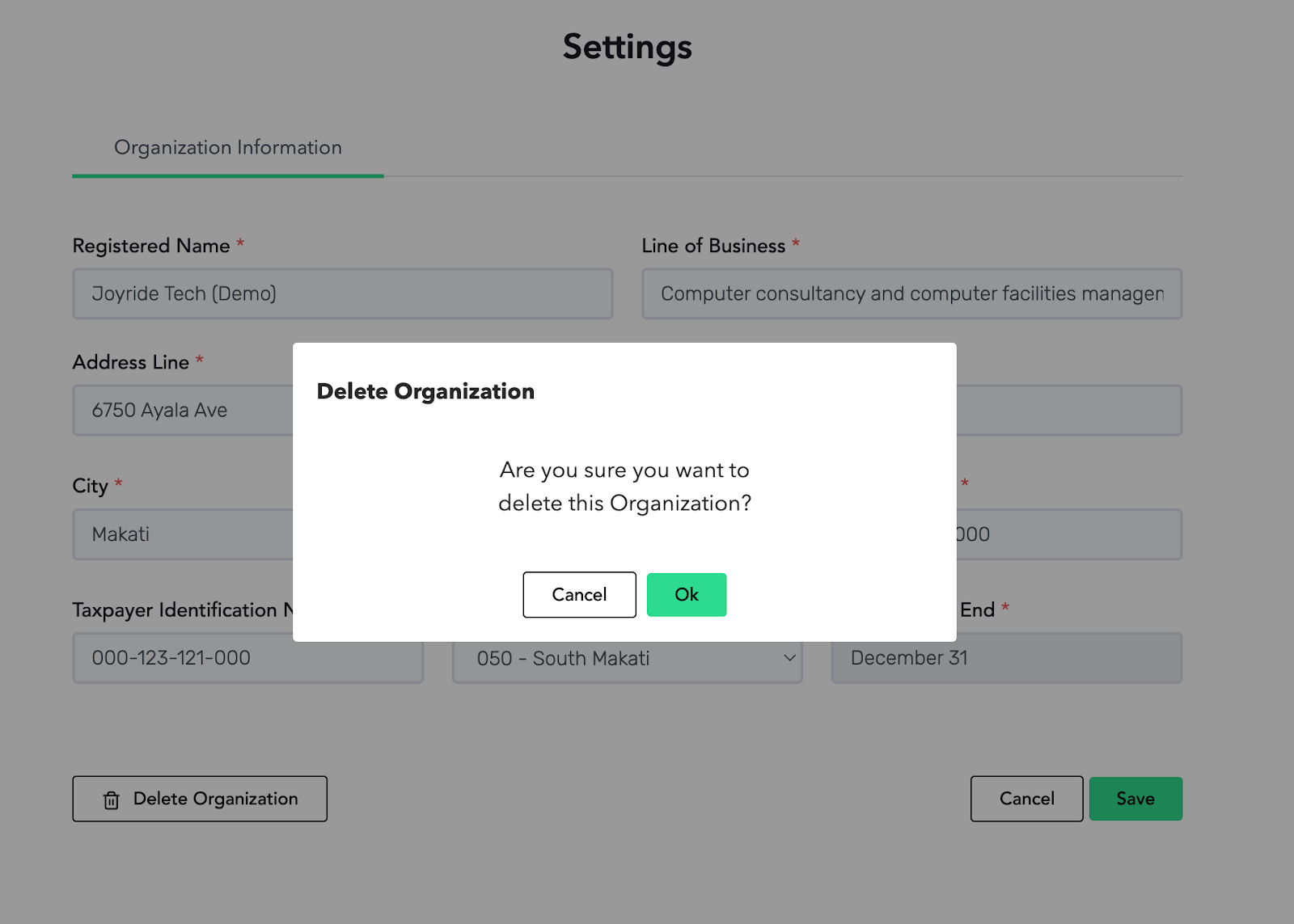
STEP 4: Choose Ok.
If you just want to correct an error in the organization, you can simply edit your organization details instead.