In this guide, you will learn all about filing BIR Form 2550-Q. Such as who, when, and how to file this form using Maya Quick Tax.
BIR Form 2550Q, also known as the Quarterly Value-Added Tax Return, is a form of sales tax imposed on the sales or exchange of goods and services in the Philippines. Serving as a form of indirect tax, VAT is passed on to the buyer who consumes the product/service.
Individuals or businesses that sell or lease goods or services that are subject to VAT, and whose annual gross sales/receipts exceed P3,000,000.00.
Filing of Quarterly VAT returns should be on or before the 25th day following the close of each of the quarters of the taxable year.
To file a BIR Form 2550-Q in Maya Quick Tax, follow the steps below:
STEP 1: From your portal, click on the Start Return button.

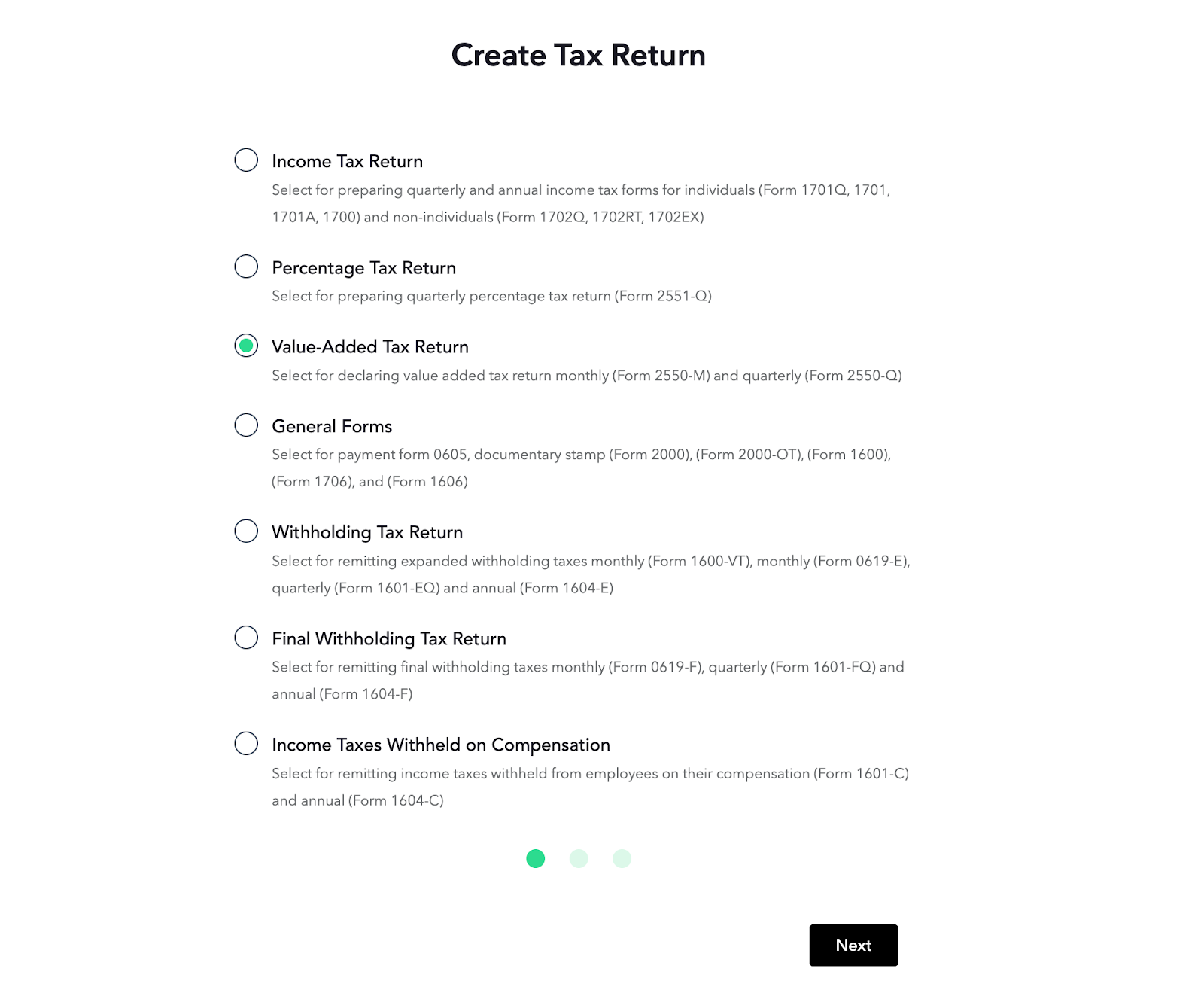
STEP 2: Select Value-Added Tax Returns and hit Next.
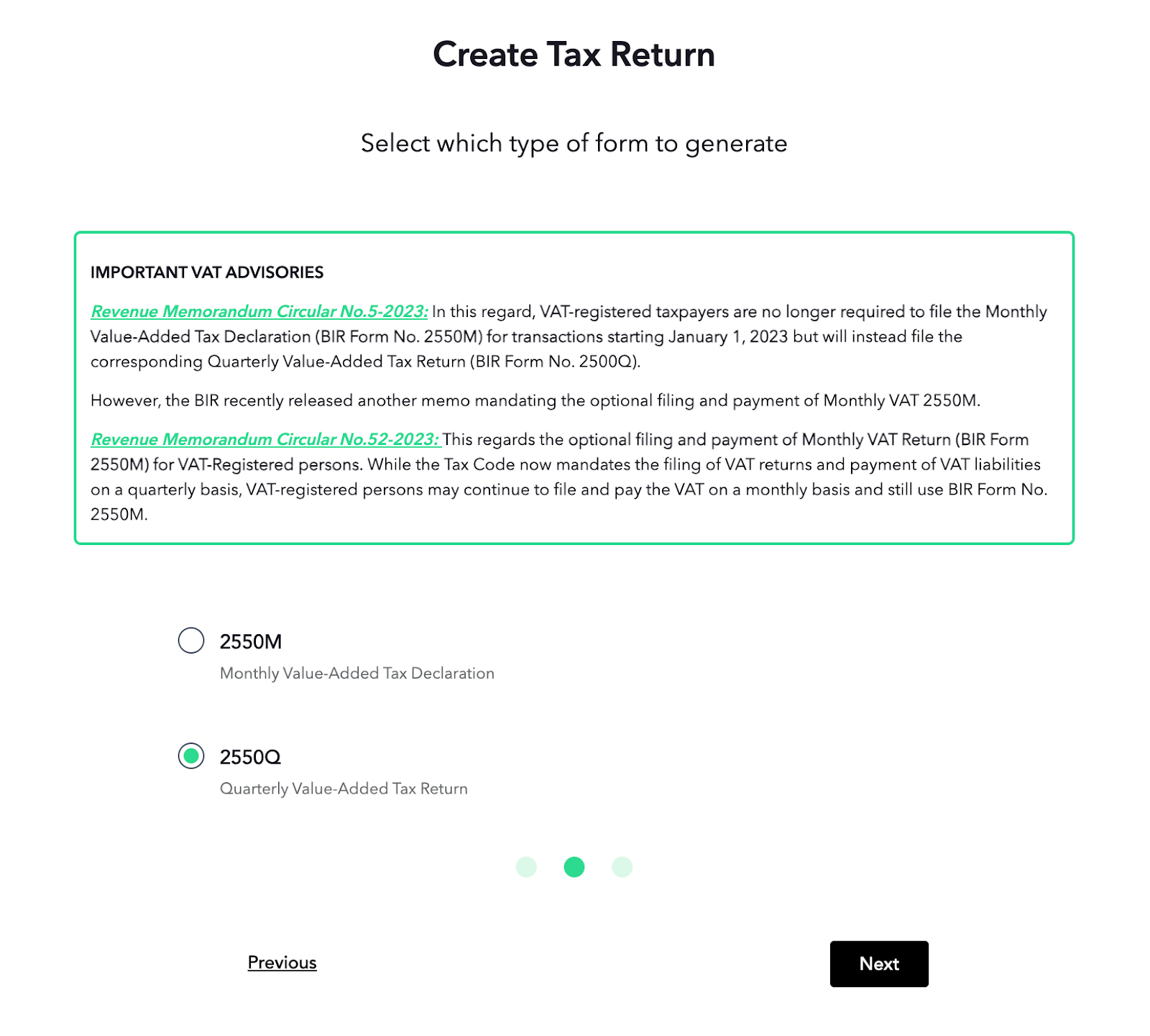
STEP 3: Choose either 2550M or 2550Q, then click the Next button.
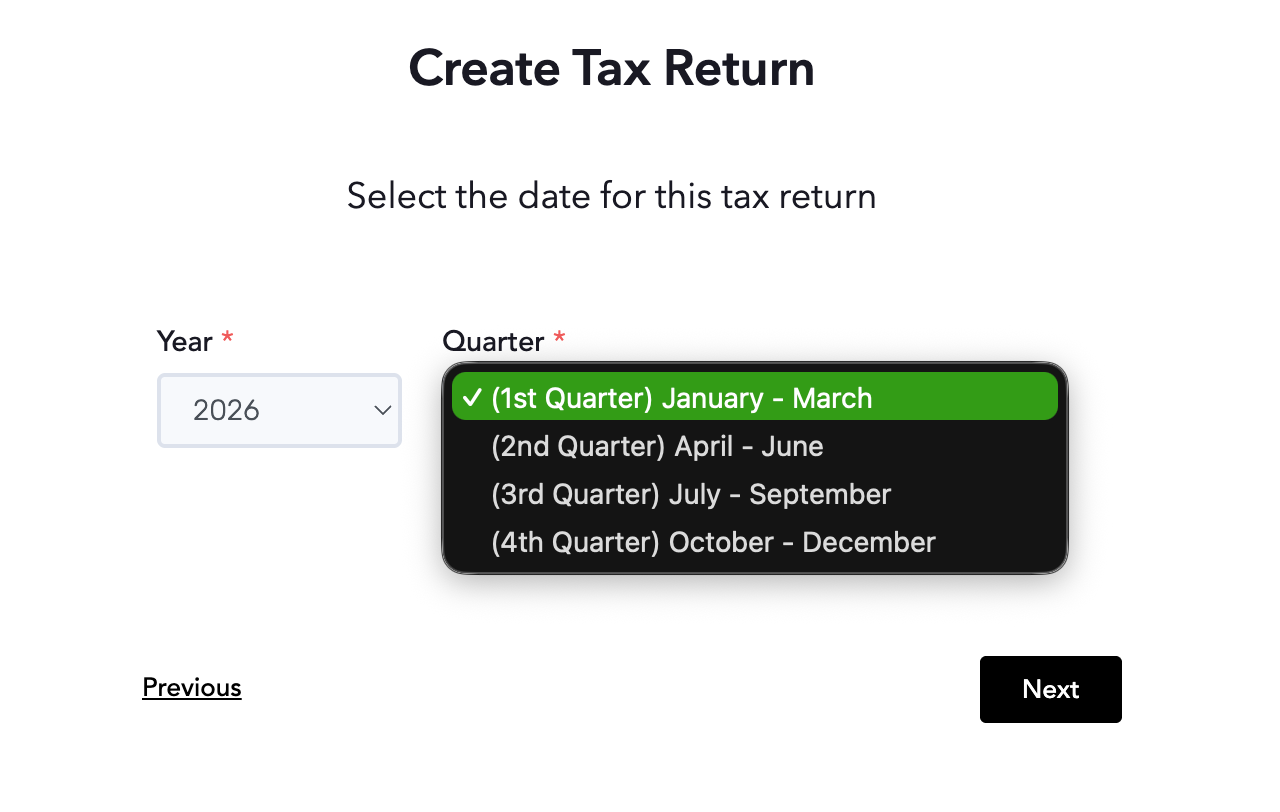
STEP 4: Select the date of the transaction that you wish to generate the report for from the Year and Quarter drop-down buttons, then click Next.
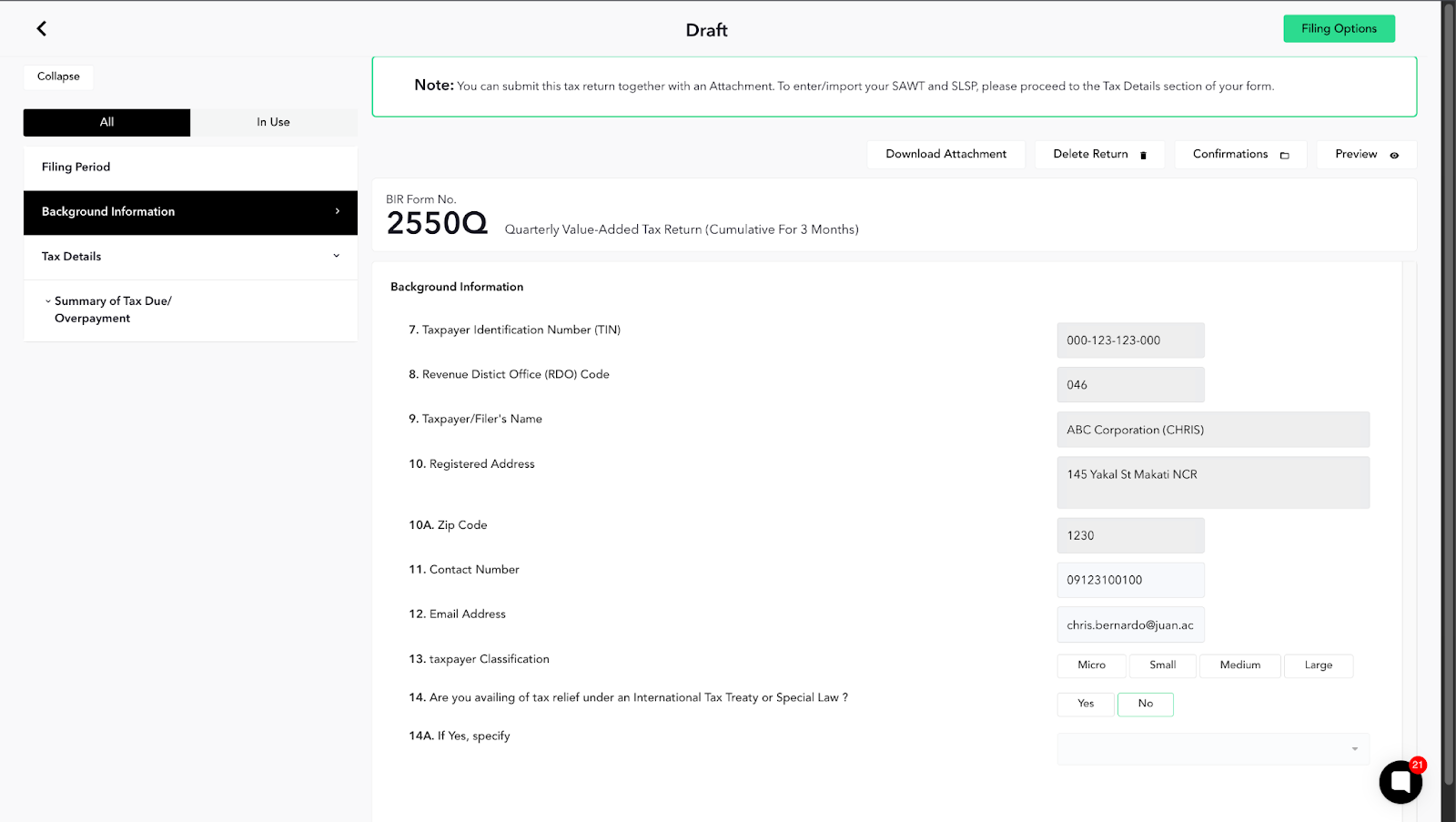
STEP 5: Enter all the necessary details in the Background Information section based on your BIR Certificate of Registration (COR / Form 2303).
Certain parts of the form are already pre-populated based on the information that you provided during the organization setup.
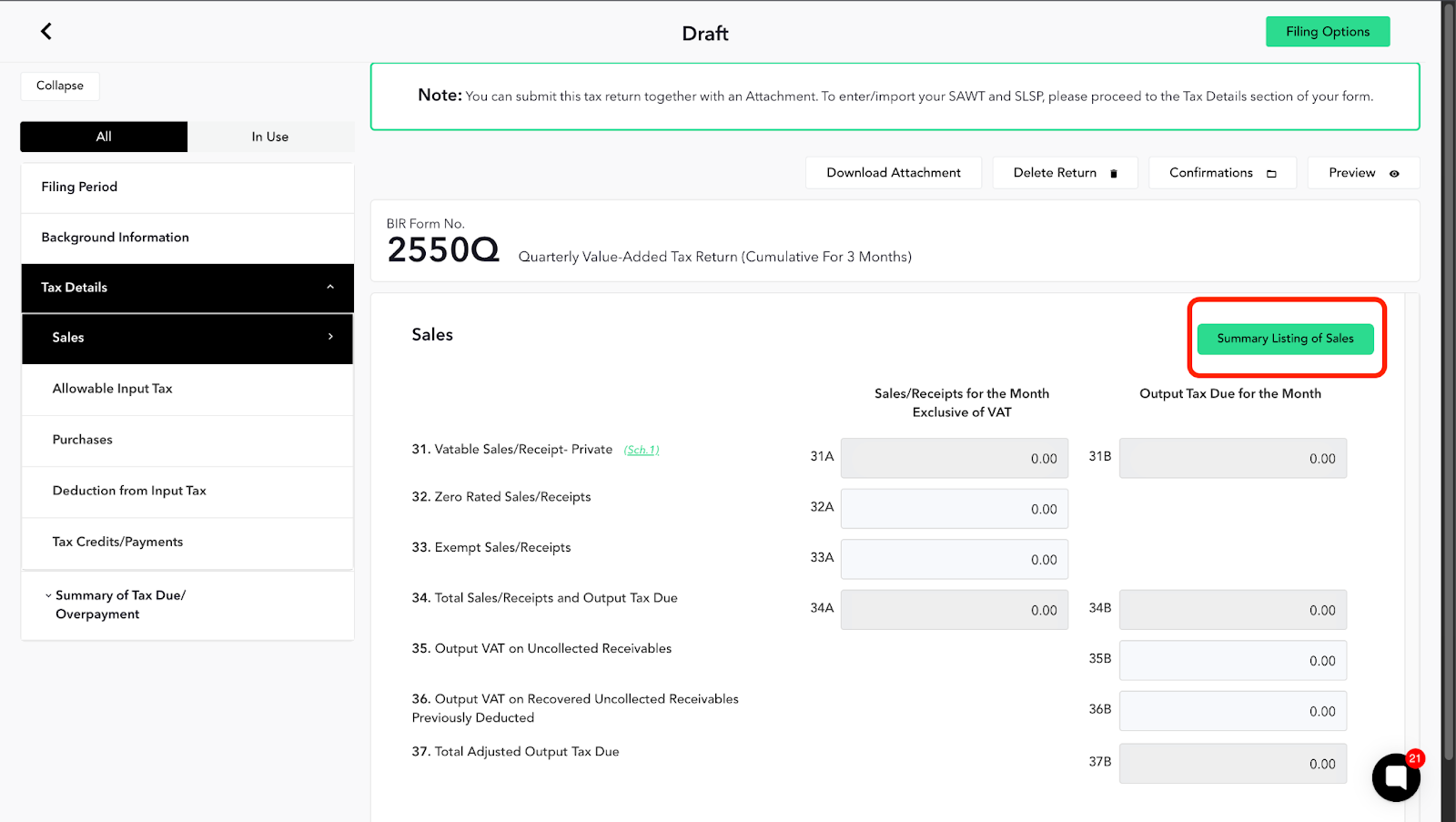
STEP 6: In the 3rd section of the form, you can enter your Tax Details and upload your Summary Lists of Sales and Purchases (SLSP) and Summary Alphalist of Withholding Tax (SAWT) attachments.
Note: Please keep in mind that filing an attachment with your BIR Form 2550-Q will incur an additional fee on top of the service fee per generation of forms.
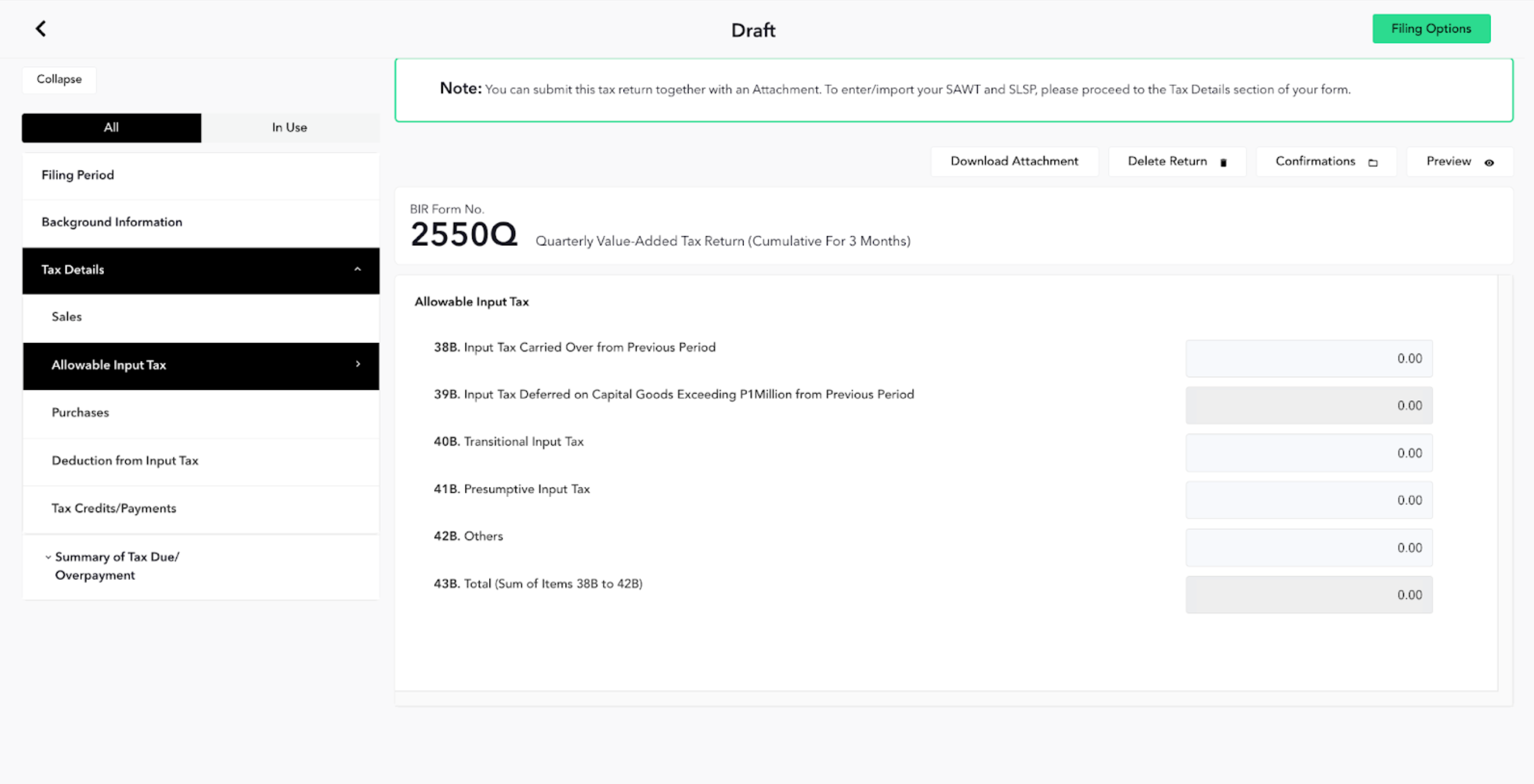
STEP 8: Allowable Input Tax – Enter any input VAT carried over from the previous period, deferred capital goods input tax, transitional/presumptive input tax, and other allowable input taxes.
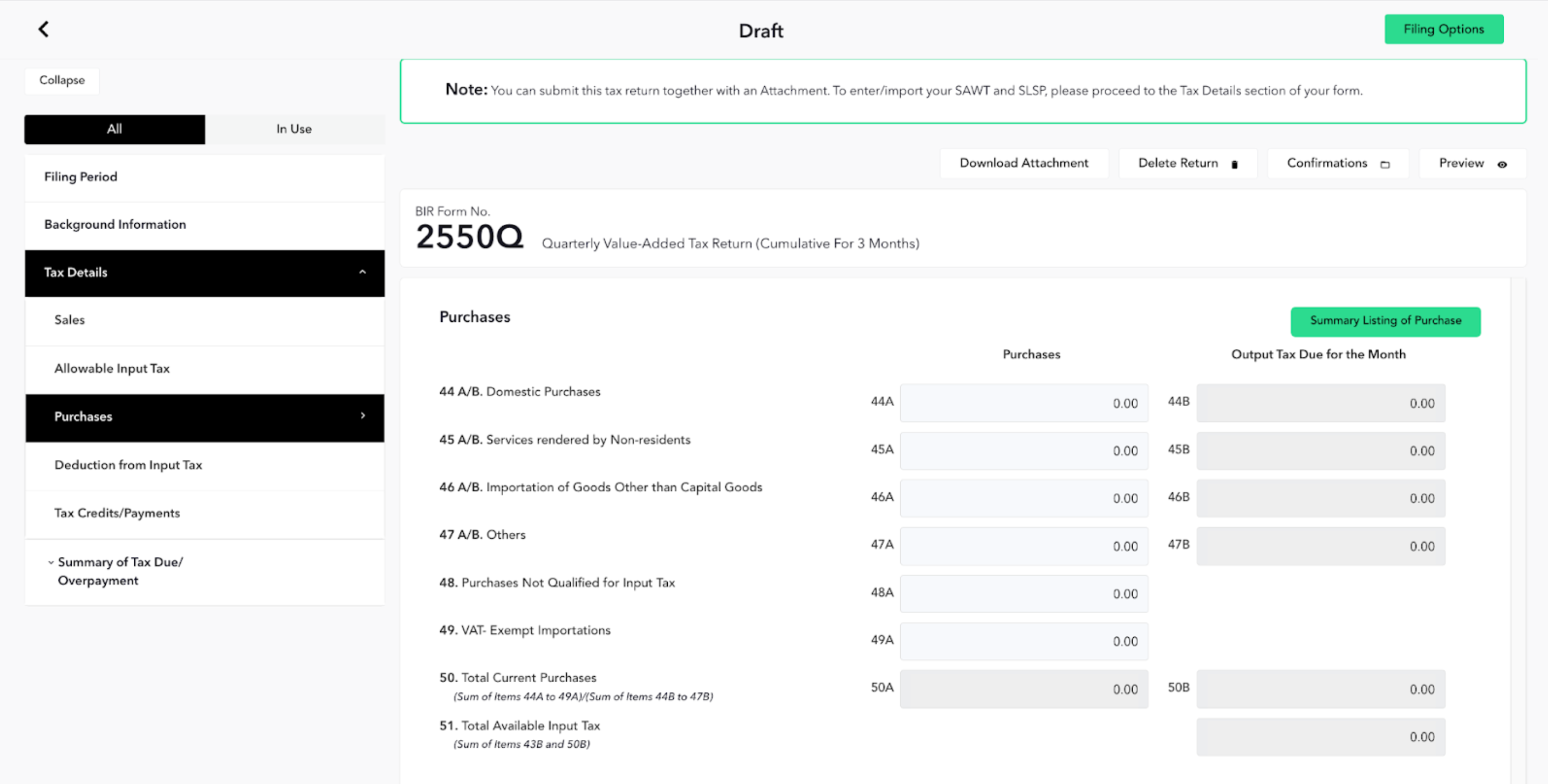
STEP 9: Purchases – Declare domestic purchases, importations, services from non-residents, and VAT-exempt or non-creditable purchases; you may generate the Summary Listing of Purchases here.
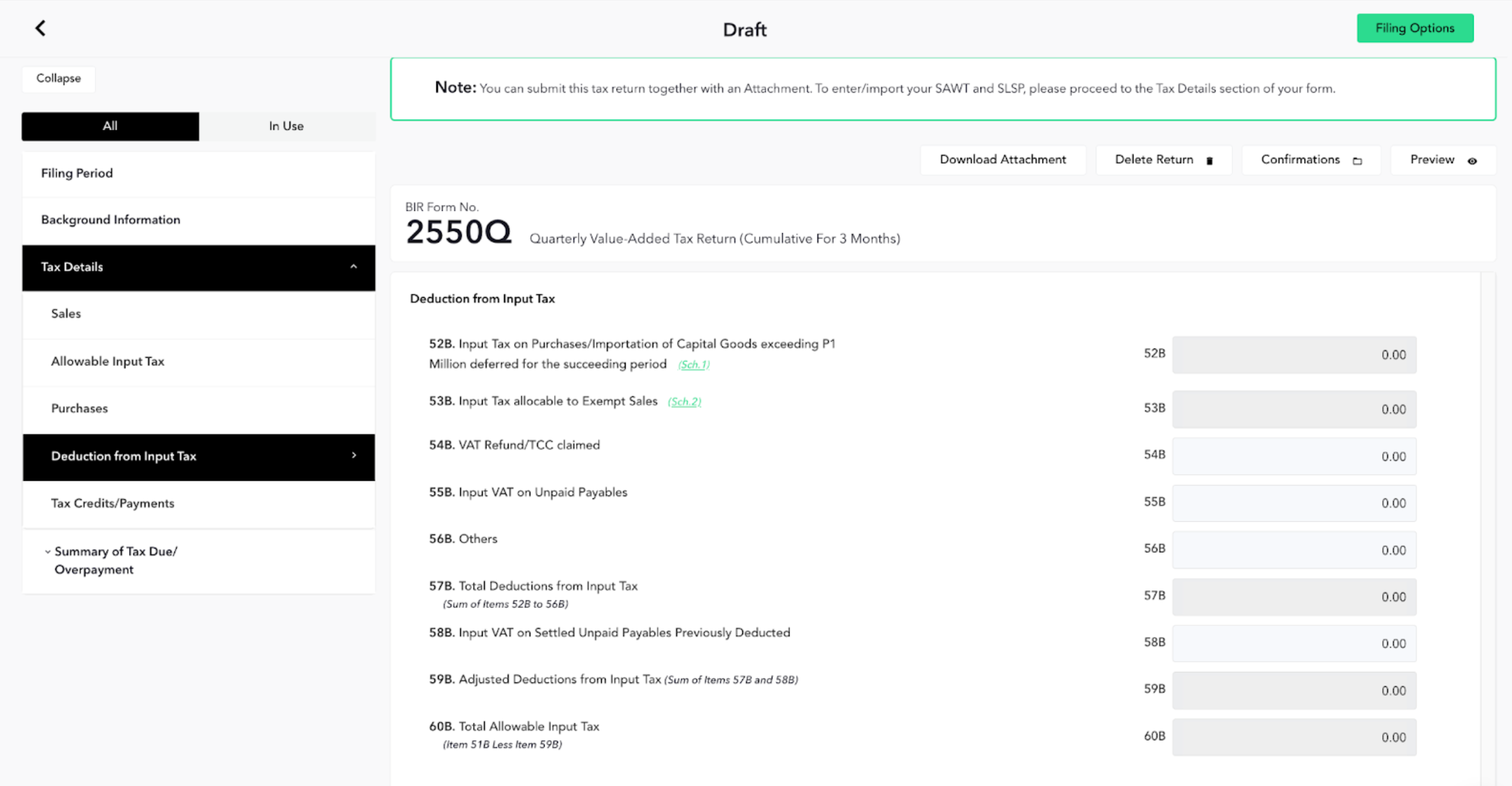
STEP 10: Deduction from Input Tax – Record input VAT deductions such as exempt sales allocation, VAT refunds/TCC claimed, unpaid payables adjustments, and compute total allowable input tax.
STEP 11: In the last section, Summary of Tax Due/Overpayment, you will get your Total Amount Payable by entering the Tax Still Payable/Overpayment and adding applicable penalties.
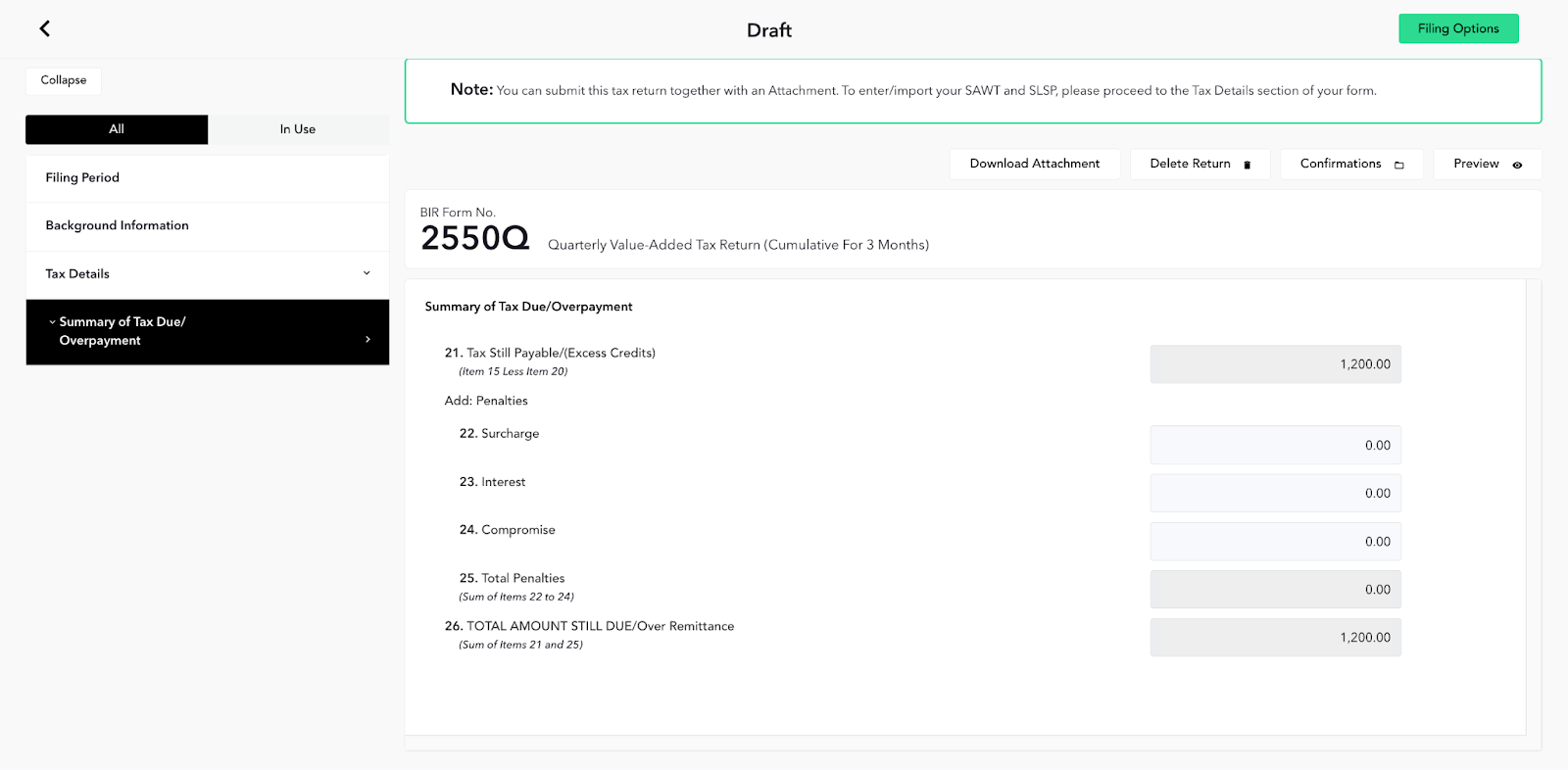
Just like that! You can now proceed to the payment stage by clicking the Filing Option button located on the top-right part of the page.
Please take note that your tax forms will be sent electronically to the BIR until 9 pm. Any forms that will be sent beyond that filing deadline will be transmitted within the next business day.
